Profile Customization
Sicura allows users to export subsets of policies in order to customize what is (or is not) enforced out of any given baseline policy.
Step 1: Download a profile
Profiles can be obtained 2 different ways.
- Download one from the Control Management page using the Download action.
-
Build one from a subset of the rules in a scan:
First go to the Infrastructure -> Nodes page via the sidebar navigation and select a node with scan results in the baseline policy (for example, CIS Server Level 2).
- Select the profile you want to use as the baseline from the Profile drop-down at the top of the page
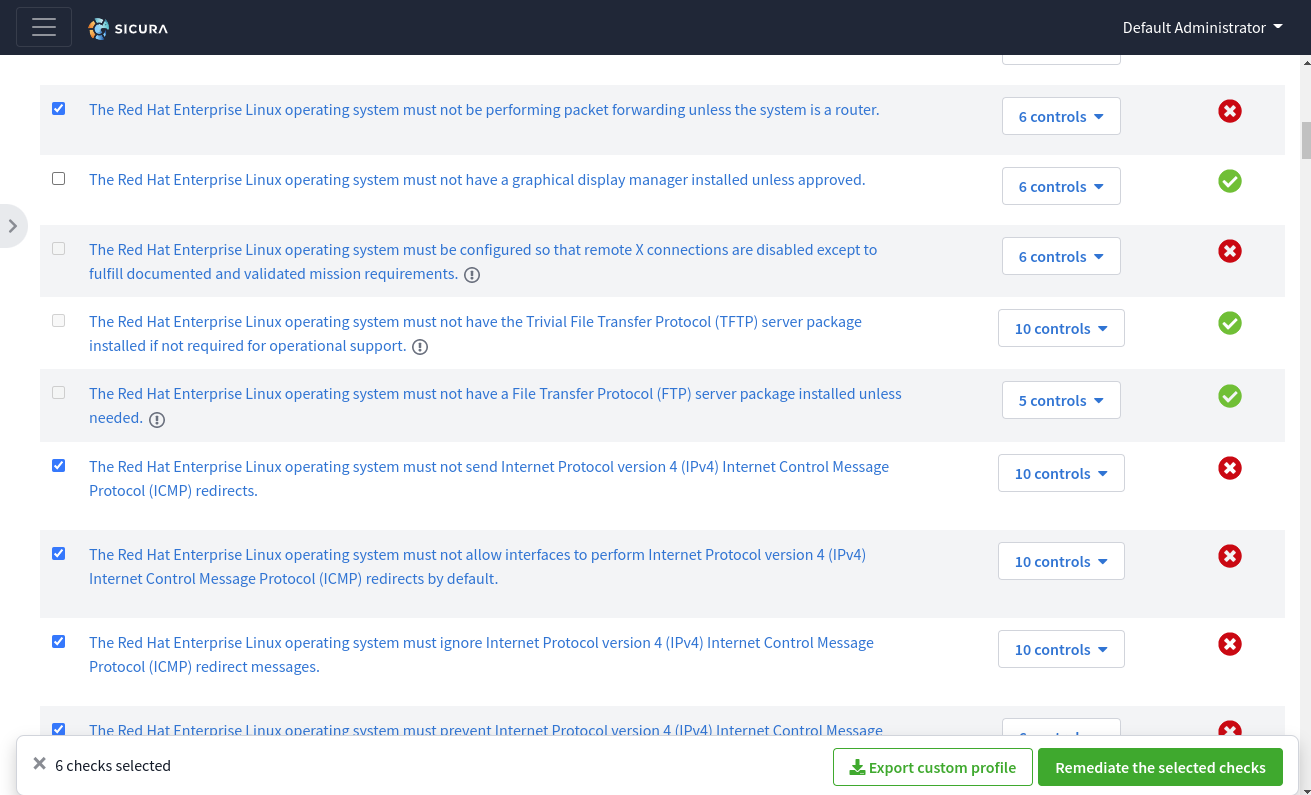
- Select the rules you want to keep by checking the boxes to the left of the rule name. The checkbox in the table header selects every rule that matches the current filters, across all pages
- Click Create Custom Profile at the bottom of the page
The New Custom Profile dialog opens with the profile name pre-filled as
<scan profile name> - scan results; if that name is already taken, a number is appended. The platform is fixed to the scanned platform. Expand View active rules to review the selected rules, then click Create Profile.The Console opens the new profile for editing. It is listed under the Custom tab of the Control Management page, where the Download action exports it as YAML.
For example:
Step 2: Enforce the Custom Policy
Once the profile has been downloaded, you will have a custom policy in YAML to be used by the Sicura Compliance Engine. For example:
---
compliance_markup::compliance_map:
  version: 2.0.0
  profiles:
    simp_console_enforcement:
      ces:
        oval:simp.disa.V-204625:def:1: true
        oval:simp.disa.V-204617:def:1: true
        oval:simp.disa.V-204616:def:1: true
        oval:simp.disa.V-204615:def:1: true
        oval:simp.disa.V-204614:def:1: true
        oval:simp.disa.V-204613:def:1: true
compliance_markup::enforcement:
- simp_console_enforcement
This policy can be used for continuous enforcement via Puppet by following the Compliance Profile Customization documentation. If you plan to export multiple custom profiles for use with Sicura Compliance Engine, you will need to change the profile name from simp_console_enforcement to a unique name.